From the Support > Support Tools menu, select Security Maintenance.
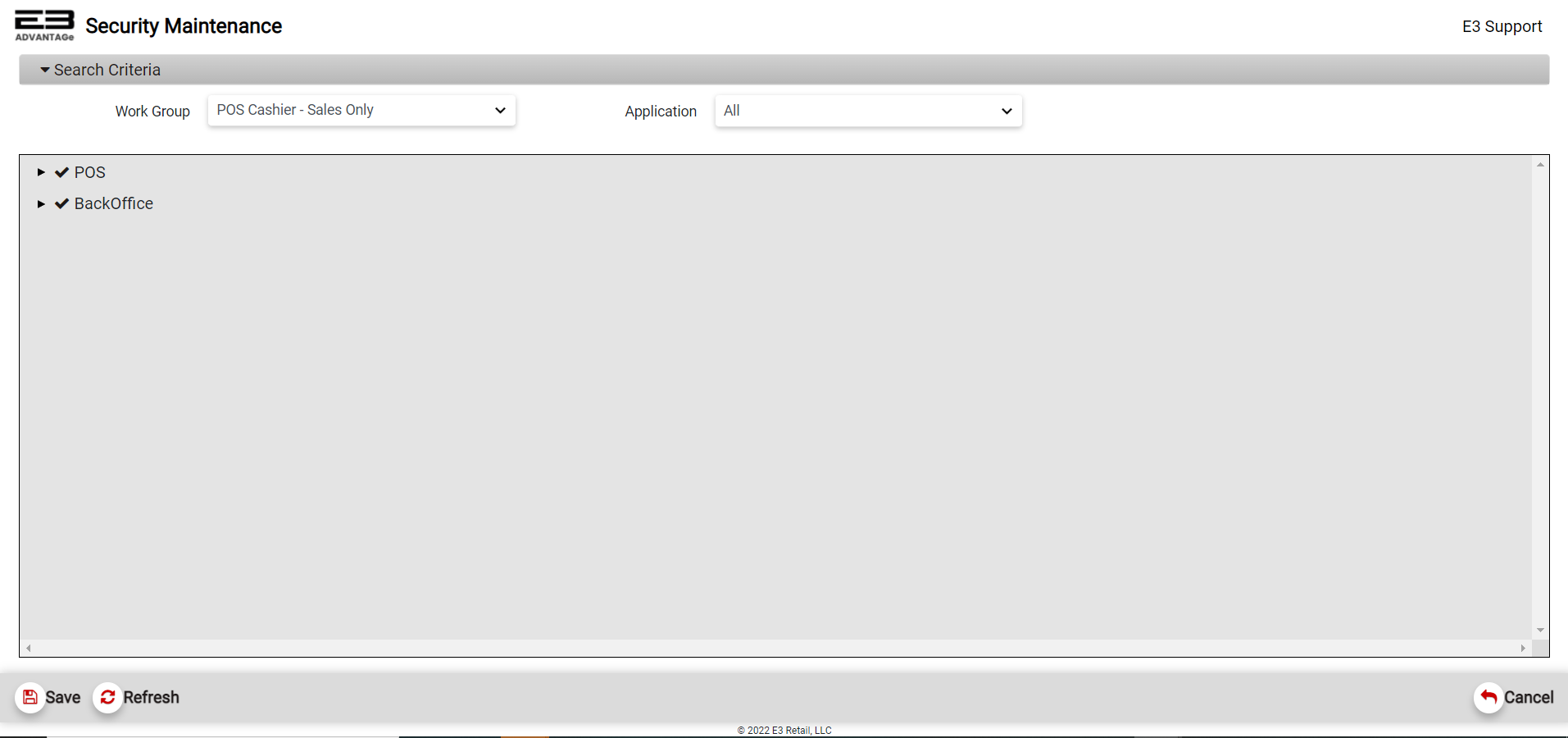
The main Security Maintenance screen (like the one shown below) should appear.
Screenshot of the Security Maintenance application.
There are two application groups visible at the root: POS and BackOffice (all selects both POS and BackOffice).
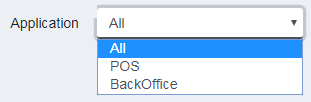
Select the Application group to modify from the drop-list.
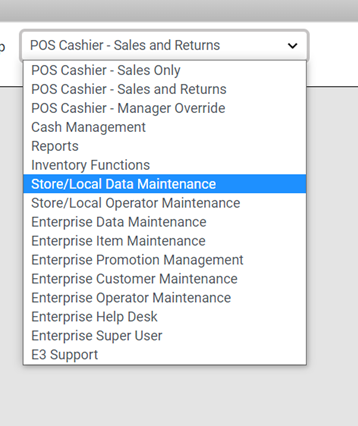
The Work Group dropdown lets you search for an individual work group to modify. Each Work Group will have specific access permissions for each application.
To modify, Select a Work Group from the dropdown.
POS Cashier - Sales Only
Operators only have basic POS permissions and very limited BackOffice access.
POS Cashier Only
Can
Can Not
POS
Process a Sale
Process a Return or Manager Override
BackOffice
Access POS X-Apps; Item Search
Access Sales Analysis Reporting
Back Office
Access Maintenance X-Apps for POS; Customer Maintenance
Access Exception Reporting
POS Cashier - Sales and Returns
Operators only have basic POS permissions and very limited BackOffice access.
POS Cashier - Sales and Returns
Can
Can Not
POS
Process a Sale and a Return
Process a Manager Override
BackOffice
Access POS X-Apps; Item Search
Access Sales Analysis Reporting
BackOffice
Access Maintenance X-Apps for POS; Customer Maintenance
Access Exception Reporting
POS Cashier - Manager Override
Operators have manager override POS permissions and very limited BackOffice access.
POS Cashier - Manager Override
Can
Can Not
POS
Process a Sale, Return and Manager Override
BackOffice
Access POS X-Apps; Item Search
Access Sales Analysis Reporting
BackOffice
Access Maintenance X-Apps for POS; Customer Maintenance
Access Exception Reporting
Cash Management
Operators have access to Cash Management Reports/Maintenance X-Apps only.
Cash Management
Can
Can Not
POS
Access POS
BackOffice
Access Cash Management X-Apps; Till Balance, Safe Journal
Access Additional X-Apps
BackOffice
Access Cash Management Reporting; Till Balance Summary Report
Access Additional Reporting
Reports
Operators have access to all BackOffice reports.
Reports
Can
Can Not
POS
Access POS
BackOffice
Access All Reports
Access Maintenance X-App’s
Inventory Functions
Operators have access only to Inventory Management Reports/Maintenance X-App’s only.
Access Customer Management Maintenance Reporting; Customer Sales History Report
Access Additional Reporting
Enterprise Operator Maintenance
Operators have access to Operator Management Maintenance X-App’s at an enterprise level.
Enterprise Operator Maintenance
Can
Can Not
POS
Access POS
BackOffice
Access to Operator Management Maintenance X-Apps;
Access Reporting
Security Access Modification
NOTE: Settings for the Security Maintenance application can’t be modified from Security Maintenance !!!
NOTE: If an operator doesn’t have permission to run Security Maintenance, the security maintenance x-app will not appear in the BackOffice Main Menu Screen.
Access Levels
At present there are three levels of access for features and applications.
Each item is marked as one of the following:
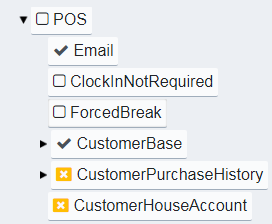
A blank square indicates this item can be accessed if the parent allows it (parent being the the top level).
A check mark indicates that accessing this item is explicitly allowed.
An X indicates that accessing this item is explicitly denied.
The top level has two trees, POS and BackOffice. As the names imply, the POS tree contains security settings for the point-of-sale functionality and the BackOffice tree contains security settings for the back office applications. If the top level is not explicitly allowed, the security settings under that specific tree can neither be accessed nor modified.
The second level contains both individual functions as well as applications that have their own functions. For example, in the POS tree there are settings for ClockInNotRequired and ForcedBreak, neither of these can be accessed by a Cashier; while a Manager has permission to access both of these. In the case of the ClockInNotRequired flag, a Manager can modify that because a Manager has explicit permission from the parent level (POS, in this case) and can also modify the ForcedBreak setting because they have explicit permission to modify that setting.
The third level contains functions for applications. Access to these is granted or denied as it is for the second level.
Examples
POS Example
Here is an example of POS settings for different users:
Notice that both the Cashiers and Managers have access to Customer Purchase History and Customer House Account applications, while Corporate and Support users do not have access to these. A Cashier can’t modify the Clock In Not Required setting, nor can a Cashier modify the Forced Break setting.
BackOffice Example
Here is an example of back office application (Enterprise Promotion Manager) settings for different users:
Notice that a Cashier may only view Instant Savings promotions, while all other users (Manager, Corporate, and Support) have access to the full functionality of Enterprise Promotion Manager for Instant Savings promotions.